Cold email only works if your infrastructure is set up correctly.
That means using clean domains, proper SPF/DKIM/DMARC, warmed inboxes, and safe sending limits.
Without this, your emails will land in spam.
Most teams now use dedicated tools to automate this setup and protect their domain reputation.
In this guide, we cover the 5 best cold email infrastructure software for better deliverability and authentication, Zapmail, Primeforge, Instantly, Maildoso, and Inframail.
Let’s break them down.
How We Evaluated The 5 Best Cold Email Infrastructure Tools
To choose the most reliable cold email infrastructure tools, we focused on the things that directly affect inbox placement, domain safety, and how smoothly you can send emails.
- Deliverability strength to make sure your emails reach the inbox and do not end up in spam.
- Fast domain and inbox creation to let you set up new email accounts quickly for outreach.
- Strong warmup quality to build trust with email providers through natural and safe activity.
- Safe sending and rotation controls to keep your sending limits steady and avoid sudden spikes.
- Domain health checks and alerts to warn you early about any issues that can hurt deliverability.
- Simple setup and ease of use so anyone can use the tool even without technical skills.
Each tool was reviewed on how well it improves deliverability, domain authentication, and the overall safety of your cold email setup.
Top 5 Cold Email Infrastructure Software
- Zapmail – Best all-in-one setup with DNS, inbox creation, warmup, and domain health tools.
- Primeforge – Best for ready-to-send Google & Microsoft inboxes with proper authentication.
- Instantly – Great for warmup, safe sending, and mailbox rotation to avoid spam.
- Maildoso – Ideal for automatic domain, inbox creation with SPF/DKIM setup and built-in warmup.
- Inframail – Best for scaling many domains and inboxes with strong deliverability protection.
1. Zapmail – Cold Email Infrastructure With Ready-to-Send Mailboxes
Zapmail is a cold email infrastructure tool that gives you ready-to-send Google and Microsoft mailboxes with clean domains, instant DNS setup, and US-based IPs.
It removes all technical steps like SPF, DKIM, DMARC, domain setup, and mailbox creation, so you can start cold email with strong deliverability.
You get inboxes that are already trusted, a clean domain environment, and a fast setup flow that takes only a few minutes.
Key Features of Zapmail:
- Pre-warmed Google and Microsoft inboxes that already have 12 weeks of warmup history, which helps your emails land in the inbox from day one.
- US-based IP addresses for all inboxes, which improves trust with Gmail and Outlook and reduces spam filtering.
- One domain per workspace isolation, which protects your reputation because one bad domain cannot affect another.
- Instant domain buying or connecting inside the dashboard, which helps you scale new outreach domains in minutes.
- One-click export to 50+ outreach tools, which lets you start campaigns instantly without manual connection steps.
Pros of Zapmail:
- Very fast setup with zero technical steps.
- Pre-warmed mailboxes that inbox from day one.
- Clean US IPs for stronger domain reputation.
- Full admin access so you always own your mailboxes.
Cons of Zapmail:
- No refund policy, so you must pick plans carefully.
- Extra domains and mailboxes add to the cost for bigger teams.
- Supports only Google Workspace and Microsoft 365
Zapmail Pricing:
I. Google/Microsoft Mailbox Plans
- Starter: $39/month for 10 mailboxes
- Growth: $99/month for 30 mailboxes
- Pro: $299/month for 100 mailboxes
II. Pre-Warmed Mailbox Plans
- Starter: $39 first month, renews at $24/month (3 pre-warmed inboxes)
- Growth: $149 first month, renews at $84/month (12 pre-warmed inboxes)
- Pro: $339 first month, renews at $180/month (30 pre-warmed inboxes)
Extra domains cost $15/year and extra pre-warmed mailboxes cost $6–$8, depending on the plan.
2. Primeforge – Cold Email Infrastructure With Google & Microsoft Mailboxes
Primeforge is a cold email infrastructure tool that gives you Google Workspace and Microsoft 365 mailboxes ready for cold outreach in 30 minutes.
It handles the full setup for you, domains, SPF, DKIM, DMARC, tracking, mailbox creation, and DNS.
You get stable US IPs, ESP-matched mailboxes, clean domain setup, and easy scaling for teams and agencies.
Key Features of Primeforge:
- Primeforge gives you Google and Microsoft mailboxes that are already optimized for cold email, which helps your emails land in the primary inbox.
- It uses US IP addresses for all mailboxes, which improves trust and inbox placement across Gmail and Outlook.
- Multiple workspaces keep different clients or projects fully separated, which protects domain reputation.
- It gives you full ownership of domains and mailboxes, which ensures you stay in control even if you change tools.
- A built-in calculator helps you choose the right number of domains and mailboxes for your outreach volume.
Pros of Primeforge:
- Very easy setup with no technical steps
- Mailboxes ready in 30 minutes
- GIF profile pictures boost visibility and replies
- Full control over domains and mailboxes
Cons of Primeforge:
- No free trial because domains/mailboxes must be purchased
- You pay for mailbox slots even if some are unused
- No annual discount on domains
- Each Forge product requires a separate subscription
Primeforge Pricing:
$4.5 per mailbox per month (monthly billing)
- $3.5 per mailbox per month (yearly billing)
- $14/year for .com domains
- Includes automated DNS setup, SPF/DKIM/DMARC, hosting, maintenance, and API access
- Cancel anytime, no contracts
5 Best Primeforge Alternatives & Competitors For Bulk Google/MS Accounts
3. Instantly – Cold Email Infrastructure With Unlimited Sending Accounts
Instantly is a cold email platform that lets you connect unlimited Google, Microsoft, or IMAP/SMTP accounts, warm them automatically, and scale outreach safely.
It includes a built-in B2B lead database, advanced deliverability tools, rotating IPs, inbox placement tests, and AI features to help you send more emails without hurting domain reputation.
Key Features of Instantly:
- The platform uses rotating proxy IPs with blacklist monitoring to protect your inbox placement as you scale.
- It gives you deliverability controls like ESP matching, text-only first emails, and open-tracking disable to improve inboxing.
- A unified Unibox allows you to manage replies from all sending accounts in a single dashboard.
- Instantly includes AI tools like an AI sequence writer, AI reply agent, AI personalization, and spam-word checking to improve copy.
- The server and IP sharding system (SISR) helps isolate your sending reputation and stabilize deliverability at high volumes.
Pros of Instantly:
- Unlimited email accounts for unlimited scaling
- Warmup included for all accounts
- Strong deliverability tools and rotating IPs
Cons of Instantly:
- Warmup pool quality varies across account types
- Lead credits cost extra
- Inbox placement subscription sold separately
Instantly Pricing:
- Growth – $37/mo: Unlimited accounts, unlimited warmup, 1k contacts, 5k emails/mo.
- Hypergrowth – $97/mo: Unlimited accounts, unlimited warmup, 25k contacts, 100k emails/mo, priority support.
- Light Speed – $358/mo: Everything in Hypergrowth + 500k emails/mo, 100k contacts, SISR system.
- Credits sold separately: For lead enrichment, AI, and verification.
- Free plan available with limited usage.
4. Maildoso – Cold Email Infrastructure With Fast Domains and Mailboxes
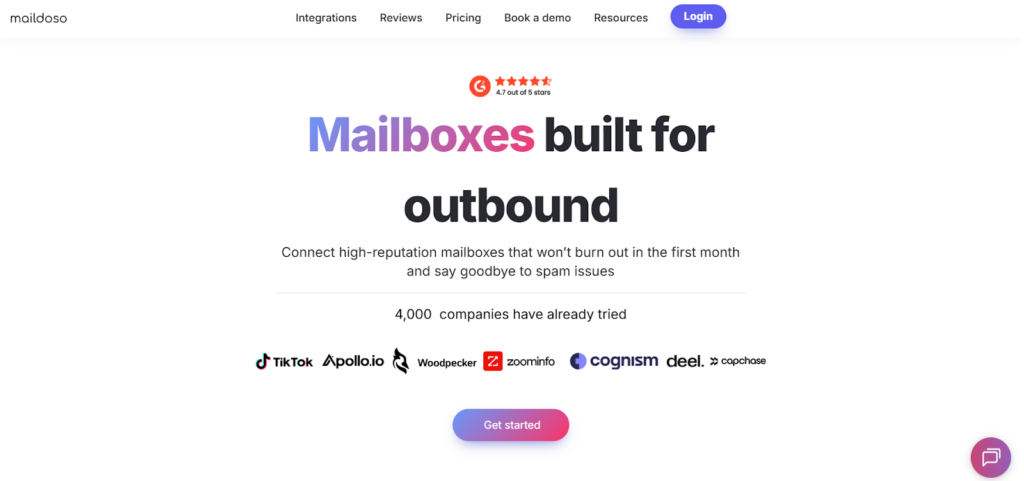
Maildoso is a cold email infrastructure platform that creates domains and mailboxes for outbound in just a few minutes.
It sets up SPF, DKIM, DMARC, MX, and tracking automatically, rotates IPs on its own SMTP servers, and gives you free domains with every plan.
It also lets you create hundreds of domains and mailboxes at once, export them to any cold email tool through IMAP/SMTP, and manage replies through a single Master Inbox.
Key Features of Maildoso:
- Maildoso sets up SPF, DKIM, DMARC, and MX records automatically, which removes all technical DNS work from your side.
- Full domain and mailbox setup finishes in about 10 minutes, which helps you launch new campaigns quickly.
- Premium AI Warmup sends 100 warmup emails per day through real browser actions, which boosts deliverability and reply rates.
- Maildoso supports IMAP/SMTP export to tools like Instantly, Smartlead, Supersend, and Lemlist, which makes integration easy.
Pros of Maildoso:
- Free domains included with all plans
- Very fast domain and mailbox setup
- Automatic DNS, deliverability setup, and IP rotation
- Master Inbox for easier reply management
- Works with all IMAP/SMTP cold email tools
Cons of Maildoso:
- Daily sending limit capped at 95 emails per mailbox
- Custom DNS records cannot be added
- Forwarding outside Maildoso.email is restricted
- Premium warmup works only with Maildoso mailboxes
Maildoso Pricing:
- 32 mailboxes – $100/month (≈ $3.1 per mailbox)
- 68 mailboxes – $166/month (≈ $2.4 per mailbox)
- 400 mailboxes – $733/month (≈ $1.8 per mailbox)
- Domains included for free
- 30-day money-back guarantee (domains not refundable)
Premium AI Warmup (optional):
- 32 mailboxes → $160/mo
- 68 mailboxes → $340/mo
- 400 mailboxes → $2,000/mo
5. Inframail – Cold Email Infrastructure With Unlimited Inboxes
Inframail is a cold email infrastructure tool that lets you create unlimited Microsoft-backed inboxes and automate all DNS setup in seconds.
You get dedicated IPs, fast domain setup, and inboxes that are ready to export into Instantly, Smartlead, and Reachinbox.
Key Features of Inframail:
- Inframail creates unlimited Microsoft-backed inboxes, which helps you scale sending without paying per inbox.
- It sets up SPF, DKIM, DMARC, MX, forwarding, and tracking automatically, which removes all manual DNS work.
- Inframail uses Phantom redirect masking, which hides domain redirects from ESPs and reduces the chance of landing in spam.
- It shows real-time IP and domain health, which helps you catch issues early and keep inbox placement strong.
- It builds domains and inboxes in under 180 seconds, which lets you start outreach almost instantly.
Pros of Inframail:
- Unlimited inboxes included at one flat price.
- Automatic SPF, DKIM, DMARC, and MX setup for every domain.
- Dedicated US IPs that help keep deliverability strong.
- Very fast domain and inbox setup that takes only a few seconds.
Cons of Inframail:
- Domains are not included and must be purchased separately.
- Warmup is still required for at least two weeks.
- Custom DNS records cannot be added.
Inframail Pricing:
- Unlimited Plan – $99/month, includes 1 dedicated US IP, unlimited inboxes, unlimited domain setups, API access, and priority support.
- Agency Pack – $249/month, includes 3 dedicated US IPs, unlimited inboxes, unlimited domain setups, automation, API access, and a dedicated deliverability consultant.
- DFY Email Setup – $299/month or $3,497 one-time, includes done-for-you inbox setup, warmup, email platform, a 1:1 coach, 2,500 contacts, support, and AI tools.
Which Cold Email Infrastructure Software Should You Choose?
If you want strong deliverability, stable domains, and inboxes that work from day one, any of these tools can help you build a safer cold email setup.
The right cold email software depends on how fast you want to scale, how many inboxes you need, and how much work you want to avoid.
- If you want ready-to-send mailboxes with clean domains, Zapmail is the simplest option.
- If you want fast Google/Microsoft inbox creation, Primeforge is a good fit.
- If you want unlimited inboxes, Inframail gives the best volume.
- If you need ESP-level sending, Maildoso gives full control.
- If you prefer one platform with sending and infrastructure, Instantly works well.
If you want the fastest setup with mailboxes that already inbox from day one, Zapmail is the best choice.
Start with Zapmail and get ready-to-send inboxes in minutes.
Frequently Asked Questions
1. What is cold email infrastructure?
Cold email infrastructure is the technical setup behind your sending, domains, DNS records, mailboxes, IPs, and warmup, that helps your emails land in the inbox instead of spam.
2. Why do I need separate domains for cold email?
Separate domains protect your main brand domain. If a cold outreach domain gets flagged or blacklisted, your primary domain stays safe.
3. How many inboxes do I need for cold email?
Most teams use 3 inboxes per domain and 30–50 inboxes total for stable scaling. High-volume agencies use 100+ inboxes across many domains.
4. How long should I warm up a mailbox before sending cold emails?
You should warm up every inbox for at least 10–14 days before sending. Some tools provide pre-warmed inboxes that you can use immediately.