Using your primary domain for cold email outreach can be risky. Spam complaints, blacklisting, and poor sending practices can harm your domain’s reputation, affecting critical business communications. Masked domains solve this problem by acting as separate email domains, safeguarding your main domain while optimizing email deliverability.
Key Takeaways:
- What are masked domains? Alternate domains (e.g., "businessname-outreach.com") used exclusively for cold email campaigns.
- Why use them? They protect your primary domain’s reputation, ensuring essential emails (e.g., proposals, invoices) aren’t flagged as spam.
- How to set them up: Configure DNS records (SPF, DKIM, DMARC), warm up domains gradually, and use multiple mailboxes per domain.
- Best practices: Keep bounce rates below 2%, complaint rates under 0.1%, and personalize emails for better engagement.
By leveraging masked domains, you can safely scale your cold email campaigns while maintaining strong deliverability and protecting your brand.
Cold email domain & email setup in minutes [Cold email course: Chapter 2 · Lesson 1]
What Are Masked Domains and Why Use Them?
Masked domains are alternate domain names created specifically for cold email outreach, keeping your primary business domain safe. For instance, if your main domain is example.com, a masked domain might look like examplehq.com or getexample.com.
Your primary domain handles critical communications like customer emails, newsletters, and transactional messages. Masked domains, on the other hand, operate independently with their own DNS records (SPF, DKIM, DMARC) and mailboxes. This separation builds a distinct sender reputation. Typically, when someone visits a masked domain, it redirects to your main website via a 301 redirect, preserving brand continuity while isolating your outreach efforts. This setup is key to managing risks and optimizing your cold email strategy.
Risks of Using Your Primary Domain for Cold Email
Using your main domain for cold email outreach is risky. Spam complaints, blacklisting, or poor sending practices can tarnish your domain’s reputation.
"You should NOT send cold emails from your primary domain." – George Wauchope, Founder of Emailchaser
If your primary domain’s reputation suffers, the consequences can be severe. Client proposals might land in spam folders, transactional emails could go undelivered, and even internal communications may get blocked. Businesses have lost major deals simply because cold outreach campaigns sent from their main domains triggered spam filters.
With phishing attacks accounting for 85% of cyberattacks in 2022, email providers are cracking down on suspicious activity. This makes protecting your primary domain more important than ever.
Benefits of Using Masked Domains
Masked domains act as a safeguard, shielding your core business operations from the potential pitfalls of cold outreach. If a masked domain gets flagged or blacklisted, your primary domain remains unaffected, ensuring that essential communications – like customer emails and invoices – continue without disruption.
They also help you stay within strict spam rate limits. Providers like Gmail and Yahoo require spam complaint rates to remain under 0.3%. By spreading your outreach efforts across multiple masked domains – using 2-5 mailboxes per domain and limiting each mailbox to 25-50 cold emails daily – you can maintain a strong sender reputation.
The cost of registering a domain is minimal, usually around $10–$20 per year. For the price of a couple of coffees, you’re safeguarding an essential part of your business.
When done right, masked domains not only protect your brand but also allow you to build an independent sender reputation. Over time, with proper warm-up procedures, this reputation strengthens, ensuring better deliverability. Up next, we’ll dive into how to set up and manage these domains effectively. You can also simplify this process by using automated DKIM, SPF, and DMARC setup tools.
How to Set Up and Manage Masked Domains

How to Set Up Masked Domains for Cold Email: Complete Setup Guide
Setting up masked domains might seem straightforward, but getting the technical details right is what ensures success. Follow these steps to configure your domains effectively for cold email campaigns.
Choosing and Registering Your Custom Domain in Cold Email
Start by selecting domain names that resemble your primary domain. For example, if your primary domain is yourcompany.com, you could opt for variations like yourcompany.io or getyourcompany.com. These alternatives protect your main domain’s reputation while maintaining a professional and trustworthy appearance.
When choosing extensions, go for ones like .io, which tend to offer better email deliverability. Avoid extensions that are frequently flagged, such as .co. While .com is reliable and widely recognized, it may sometimes face stricter scrutiny.
If managing multiple domains feels overwhelming, tools like Zapmail’s AI-powered naming generator can help you quickly find brand-aligned options without the hassle of brainstorming. Once you’ve decided on your domains, register them through a trusted domain registrar.
After registration, the next step is to configure your DNS settings to ensure your domains are authenticated and secure.
Configuring DNS Records and Authentication
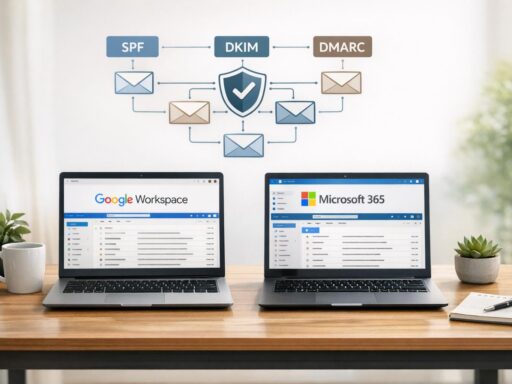
Proper DNS configuration is critical. You’ll need to set up the following records:
- SPF: Authorizes your mail servers to send emails on behalf of your domain.
- DKIM: Adds a digital signature to your emails, verifying authenticity.
- DMARC: Provides instructions on how to handle email authentication failures.
- MX Records: Directs incoming emails to your mail server.
If this sounds complex, don’t worry – Zapmail automates much of the DNS setup process, reducing errors and saving time.
Once your DNS records are in place, you can move on to setting up mailboxes for your masked domains.
Setting Up Mailboxes for Your Masked Domains
Use services like Google Workspace or Microsoft 365 to create mailboxes for your domains. Opt for personalized email addresses like clark.kent@yourdomain.com instead of generic ones. Personalized addresses not only build trust but also improve your chances of avoiding spam filters.
To minimize risks, isolate each domain with single-tenant configurations. This way, if one domain encounters issues, the others remain unaffected. Additionally, using multiple email providers adds another layer of security and scalability.
Zapmail simplifies this step by offering pre-warmed Google and Microsoft mailboxes. This eliminates the usual weeks-long warm-up period required for new mailboxes, so you can start your campaigns right away.
sbb-itb-36f7bf9
Advanced Strategies for Masked Domains
Once your setup is complete, these advanced tactics can help improve your email deliverability and create a scalable outreach process.
Domain Forwarding and Reputation Monitoring
A smart way to build trust is by setting up 301 redirects from your best domain extensions for masked domains to your main website. This means that if someone manually types your masked domain into a browser, they’ll land on your official business site. It’s a simple yet effective way to reinforce your brand’s credibility while keeping your primary domain safe from the risks of cold outreach.
Always double-check that your masked domain redirects properly to your main site. While this step doesn’t directly affect inbox placement, it helps improve your sender reputation by reducing suspicion and minimizing spam reports. To keep your reputation strong, regularly track metrics like:
- Bounce rates: Keep these below 2%.
- Complaint rates: Aim for less than 0.1% for bulk emails.
- Engagement levels: Monitor how recipients interact with your emails.
Once your forwarding is in place, focus on warming up your domain and isolating your workspace.
Domain Warm-Up and Workspace Isolation
After configuring your DNS and mailboxes, warming up your domain is a crucial step. Skipping this phase can lead to poor email deliverability. A proper warm-up process ensures you build trust with email providers, leading to inbox placement rates above 95% and open rates between 25–40%.
Typically, warming up a domain takes 30–90 days. Start small, with 10–20 emails per day, and gradually increase the volume while keeping an eye on engagement metrics. If you’re short on time, tools like Zapmail offer pre-warmed mailboxes, allowing you to start campaigns right away.
Another important tactic is workspace isolation. By spreading your email volume across multiple domains and mailboxes, you reduce the risk of deliverability issues. A common setup involves 2–4 mailboxes per domain, with three being the sweet spot. This way, if one domain encounters problems, your other domains remain unaffected. Additionally, using both Google Workspace and Microsoft 365 can help you avoid challenges tied to a single provider.
Integrating with Outreach Tools and Scaling
To streamline your operations, integrate masked domains with outreach platforms using APIs or built-in tools. Automating processes like DNS configurations, mailbox rotation, and natural send delays ensures smoother campaigns.
Zapmail, for example, works seamlessly with over 50 outreach platforms. From a single dashboard, you can manage multiple domains and mailboxes, apply bulk settings, and monitor performance metrics. Its API also allows for programmatic management of your email infrastructure, making it easier to scale your campaigns. Bulk management tools let you adjust settings across several domains at once, saving time and simplifying operations as your outreach grows.
Common Mistakes and Best Practices
Even with a solid setup, small errors can hurt your email deliverability. Here’s what to avoid – and how to stay on the right path.
Mistakes to Avoid
Skipping the warm-up phase is a major issue. If you start sending high-volume campaigns from a brand-new domain, email providers may flag it as spam behavior.
Leaving out SPF, DKIM, and DMARC records makes your emails unverified and more likely to be caught in spam filters. Sending too many emails too quickly from new accounts can also raise suspicion, as it mimics bulk spam activity.
Using low-quality or purchased lead lists is another pitfall. These lists often lead to high bounce rates, which can harm your sender reputation. On average, email lists degrade by about 22.5% each year, so regular cleaning is a must. Additionally, emails overloaded with links, heavy HTML, or trigger words are more likely to be flagged as spam.
Best Practices for Better Deliverability
To avoid these pitfalls, follow these best practices to improve your email outreach.
Keep your bounce rate under 2%. Anything higher can quickly damage your sender score. For bulk campaigns, aim for a complaint rate below 0.1%, a standard set by major email providers for high-volume senders. For example, one B2B SaaS company saw a 30% increase in inbox placement within 60 days by enforcing a DMARC p=quarantine policy and cleaning out inactive contacts.
Go beyond basic personalization. Emails with personalized subject lines can enjoy a 47% increase in open rates, and adding details like the recipient’s company can boost engagement by 22%. Keep your approach natural – use tools like Spintax to vary your email content, so you’re not sending identical messages at scale.
Consider diversifying your email infrastructure. Using platforms like Google Workspace mailboxes and Microsoft 365 can reduce the risk of a single point of failure. Always include a one-click unsubscribe option in your emails – not only is it a best practice, but it’s also a legal requirement for bulk senders. Regularly monitor metrics with tools like Google Postmaster Tools and Microsoft SNDS to stay on top of your performance.
Keep your emails short and simple – stick to 100–150 words in plain text. Shorter emails feel more natural and are less likely to be flagged as spam. Encourage two-way communication by ending with open-ended questions or clear calls-to-action.
"Everyone’s goal is obviously 100%. What we focus on is our inbox placement. We want 100% of our emails getting to the inbox, and if it drops below 90%, we’re going to immediately investigate what’s going on." – Mailforge
These strategies, when paired with a solid setup, can help ensure your outreach stays effective while keeping your primary domain safe.
Conclusion
Masked domains play a crucial role in protecting your email infrastructure, especially when it comes to cold email outreach. They act as a shield, ensuring your primary domain remains unaffected by deliverability issues. Even if a masked domain gets flagged, your main domain stays clean and fully functional, which is vital since recovering a primary domain from spam filters is nearly impossible.
The key to success with masked domains lies in setting them up correctly and allowing adequate time for preparation. Opt for lookalike .com domains, properly configure SPF, DKIM, and DMARC settings, and dedicate two to three weeks for a thorough warm-up period before scaling your campaigns. This careful approach helps establish a trusted sender reputation while minimizing risks.
For those who want to simplify the process, Zapmail offers a comprehensive solution. It provides pre-warmed mailboxes, automated DNS setup, and domain isolation, making it easier to start sending emails quickly while maintaining high deliverability. With features like one-click authentication and AI-powered domain naming, Zapmail takes the technical hassle out of the equation, allowing you to focus on your outreach.
FAQs
What are masked domains, and how do they improve email deliverability?
Masked domains are secondary domains designed specifically for sending emails. Their main purpose is to shield your primary domain’s reputation. By separating email activity onto a different domain, you can lower the chances of spam filters, blacklists, or complaints negatively impacting your main domain.
This strategy helps maintain strong inbox placement by protecting the credibility of your primary domain. It also boosts deliverability rates for cold email campaigns. Essentially, masked domains serve as a safety net, letting you expand your outreach efforts while keeping potential risks in check.
How do I set up a masked domain for cold email outreach?
Setting up a masked domain is a smart way to safeguard your primary domain and improve email deliverability. Here’s how you can do it:
Start by registering a secondary domain that reflects your brand, like yourcompany-outreach.com, and dedicate it solely to email sending. After that, configure essential DNS authentication records – SPF, DKIM, and DMARC – to verify your emails and build trust with email providers.
Make sure to secure the domain with an SSL/TLS certificate to prevent security warnings. Then, set up a masking proxy to forward traffic from your masked domain to your main domain, all while keeping the masked URL visible. Once everything is configured, test thoroughly to ensure the DNS records, SSL certificate, and proxy are working as they should. Regular monitoring and maintenance will help keep your setup running smoothly and maintain consistent email performance.
Why should you warm up a masked domain before sending cold emails?
Building a strong sender reputation with email service providers (ESPs) starts with warming up a masked domain. This involves gradually increasing email activity while maintaining consistent, low-volume sending. By doing so, ESPs are more likely to view your domain as reliable, reducing the chances of triggering spam filters.
This step is crucial for improving email deliverability, ensuring your cold emails land in inboxes rather than getting flagged as spam. It also enhances the credibility of your outreach efforts, leading to better engagement and higher response rates.