- Consistency is critical: Sudden email spikes can mimic spam behavior, leading to blocked or filtered emails.
- Sender reputation matters: ISPs evaluate factors like engagement, bounce rates, and spam complaints to improve email deliverability and decide whether your emails are trustworthy.
- Gradual scaling works: Increase email volume slowly – no more than 50% daily – to avoid triggering spam filters.
- Metrics to watch: Keep bounce rates under 2%, spam complaints below 0.1% (Gmail), and delivery rates above 95%.
- Use tools like Zapmail: Pre-warmed mailboxes and automated DNS setups simplify scaling and reduce risks.
Key takeaway: Build trust with ISPs by maintaining a steady sending pattern, monitoring metrics, and gradually increasing email volume.

Email Deliverability Metrics: Critical Thresholds and Best Practices
How Do I Ensure Deliverability For High-volume Email Workflows? – TheEmailToolbox.com
How Email Volume Affects Deliverability
Email providers like Gmail, Yahoo, and Microsoft keep a close eye on both the content, technical authentication setup, and the timing or quantity of emails you send. Their advanced AI and machine learning systems evaluate your sending habits in real time to decide if you’re a legitimate sender or a potential spammer.
At the heart of this process is sender reputation. Think of it like a credit score for your emails – every email you send impacts this score. Factors such as engagement rates, bounce rates, and complaints all play a role. A strong reputation gets your emails into inboxes, while a weak one might land them in spam folders or block them altogether.
If your email volume suddenly jumps – say from 1,000 to 10,000 emails – it can set off alarm bells. Providers may interpret this as spam-like behavior, especially if there’s not enough historical data to back up the change. In such cases, your emails might be throttled, sent to spam, or even blocked altogether.
"Ramp up gradually – no more than a 50% increase per day – and maintain consistent cadence across campaigns. Predictability builds trust with both your customers and ISPs."
– Carlotta Iglesias, EMEA Deliverability Services Manager, Adobe
During periods of high volume, one in six marketing emails fails to reach the inbox. Providers like Gmail and Yahoo enforce strict spam rate limits – 0.3% at most, with Gmail recommending staying under 0.10% for better results. Microsoft advises keeping spam rates below 0.2%. With such tight thresholds, even small missteps can make a big difference.
Sender Reputation and Volume Consistency
Building a strong sender reputation takes time and requires consistent, predictable behavior. Email providers monitor your sending patterns over weeks and months, looking for steady and reliable activity. A regular schedule signals that you’re a legitimate sender with engaged recipients, which helps providers trust your emails.
On the flip side, erratic behavior – like sudden spikes, dips, or irregular sending volumes – raises red flags. Providers can’t always tell if you’re scaling up a business or acting like a spammer. Gmail, for example, places a strong emphasis on domain reputation, tracking the history of every domain you use (proper SPF, DMARC, and DKIM setup is essential here). If your domain shows irregular patterns, Gmail’s algorithms might flag it as risky.
"Gmail considers sending spikes without an adequate warmup as spammy. When Gmail detects spammy behavior, it will throttle your messages, and your sender reputation will suffer."
– ActiveCampaign
New IP addresses and domains face even more scrutiny because they lack a history. To build trust, start small and gradually increase your email volume to establish a positive reputation.
Volume Fluctuations: A Risk to Inbox Placement
Erratic shifts in email volume can have immediate consequences. When email providers detect unusual patterns, they often assume the worst and take steps to protect their users. This might include rate-limiting emails, sending them to spam folders, or blocking them entirely. Once your reputation takes a hit, recovering it can be a long and challenging process.
Take this example: In 2025, Canva needed to scale its email volume from 30 million to 50 million per week. By gradually warming up their IP and focusing on their best-performing campaigns, they managed to maintain 99% deliverability throughout the process.
The takeaway? Gradual scaling is essential. Even if you have a legitimate reason to increase your email volume, like launching a product or running a seasonal campaign, you need to ramp up slowly. Providers prioritize protecting their users over accommodating sudden changes.
To avoid triggering spam filters, break large lists into smaller segments and send emails over several days. It’s also wise to separate marketing campaigns from transactional emails by using specialized email infrastructure with different IPs and domains, as these types of emails tend to have very different engagement patterns.
Key Metrics to Track
Managing your email volume effectively is just one part of the equation. Keeping an eye on critical metrics can help ensure your sender reputation stays intact.
- Bounce rate: This is often the first signal of trouble. A rate above 2% needs immediate attention. High bounce rates indicate invalid or outdated email addresses, which can harm your reputation. Regularly cleaning your list is key.
- Complaint rate: Perhaps the most critical metric. Gmail and Yahoo cap spam rates at 0.3%, but Gmail suggests staying below 0.10%. Microsoft recommends keeping it under 0.2%. When recipients mark your emails as spam, it sends a clear signal to providers that your content is unwelcome.
- Engagement rates: Metrics like opens, clicks, and replies show how interested recipients are in your emails. Drops in engagement can suggest that your content isn’t resonating or that you’re sending too frequently, both of which can hurt your inbox placement.
- Delivery rate: This serves as an overall health check. A delivery rate between 95% and 99% is ideal, while anything below 85% indicates potential problems, such as emails being blocked or filtered.
Daily monitoring of these metrics can help you catch small issues early and prevent long-term damage to your reputation.
Best Practices for Managing Email Volume
Gradual Scaling and IP Warming
IP warming involves slowly ramping up the number of emails sent from a new or rarely used IP address to build trust with email providers. Similarly, domain warming is crucial for new domains with no prior sending history. This process typically takes 4–8 weeks, depending on your target email volume.
Here’s why it matters:
- Skipping the warm-up process is responsible for 85% of email deliverability problems.
- Without warming, up to 70% of your emails may land in spam, with open rates dropping below 5%.
- A well-executed warm-up can achieve over 95% inbox placement and boost open rates to 25–40%.
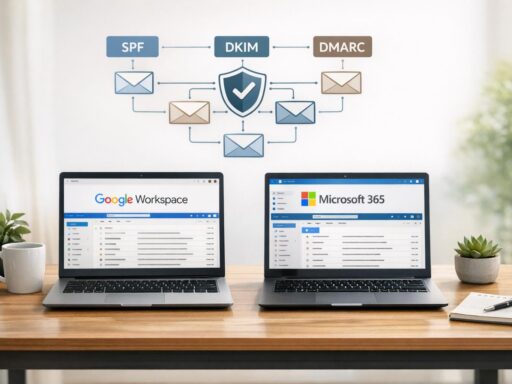
To start, focus on sending emails to your most engaged recipients – those who recently opted in, regularly open your emails, or frequently click your links. This builds positive engagement signals. Also, make sure your SPF, DKIM, and DMARC records are correctly set up before beginning the warm-up process.
Monitoring Engagement Metrics
Keeping an eye on engagement metrics like opens, clicks, and spam complaints daily is essential for maintaining a strong sender reputation. High engagement indicates that your audience values your emails, which helps ensure they consistently land in inboxes. If you notice rising bounce rates or an increase in spam complaints, scale back your email volume immediately and investigate the cause.
Using Pre-Warmed Mailboxes for High-Volume Campaigns
Pre-warmed mailboxes come with established sending histories, offering a shortcut to building a solid reputation. This can save significant time compared to starting from scratch with a new IP address or domain. Since each new email account or IP requires individual warming, pre-warmed mailboxes allow for a smoother scaling process and prevent the red flags triggered by sudden spikes in email volume. A well-executed warm-up can even triple inbox placement rates.
For businesses running large-scale campaigns, pre-warmed mailboxes are a game-changer. They ensure consistent inbox placement and reduce the risk of emails landing in spam. This method, combined with tools like Zapmail, can significantly enhance the success of your email campaigns.
sbb-itb-36f7bf9
Zapmail: A Scalable Solution for Email Deliverability

Pre-Warmed Mailboxes to Simplify Scaling
Zapmail takes the hassle out of scaling email campaigns as part of a broader cold email strategy by offering pre-warmed Google and Microsoft mailboxes that are ready to use right away. These mailboxes come with an established sending history, which helps you avoid spam filters and protects your sender reputation. By skipping the lengthy warming process, Zapmail enables you to increase your email volume without the risks that come with sudden spikes, like damaging your deliverability.
Mike Black, Founder of Talent Stream, shared his experience using Zapmail to scale his cold email outreach to investors. He purchased 24 domains and 72 inboxes through Zapmail and integrated them with Instantly, boosting his daily outreach from 270 to 1,350 contacts. In his words:
"I like zapmail because the inboxes are only $3 per inbox – but also because they handle all the configuration and exporting the inboxes to Instantly".
Domain and DNS Management Tools
Zapmail doesn’t just simplify scaling – it also makes technical setup easier. It automates the configuration of SPF, DKIM, and DMARC, ensuring that your emails reach the right inboxes. This is increasingly important as providers like Google and Yahoo now require high-volume senders (over 5,000 emails daily) to have these authentication protocols in place. Without proper authentication, your emails are at risk of being flagged as spam.
Zapmail also isolates each workspace with its own domain and IP reputation. This setup ensures that issues with one domain won’t affect others, reducing the chances of bans. Dean Canellos, former Manager of Deliverability Operations at Higher Logic, emphasized the importance of authentication:
"Email authentication acts as your digital ID card and helps Mailbox Providers (MBPs) and spam filtering systems recognize your legitimate email".
Integration with Outreach Platforms
Zapmail boosts campaign efficiency by integrating seamlessly with over 50 outreach platforms, including Instantly, Smartlead alternatives, ReachInbox, Reply, and Lemlist. With one-click OAuth integration, there’s no need for manual setup or additional credentials. This means you can deploy high-deliverability mailboxes into your campaigns almost instantly.
Vovik Tsybulskyi, Founder of Chapters, used Zapmail with Woodpecker.co to generate over 50 leads for an enterprise client. Similarly, Edgaras Kalinas leveraged Zapmail.ai and Instantly.ai to create 789 sales opportunities for Agrello through multichannel outreach campaigns. This success highlights the importance of using cold emails that get responses to drive conversions. Mohan Muthoo, Founder of Spring Drive, praised the simplicity:
"One-click integrations with major SEPs as standard".
Conclusion
Wrapping up our discussion on sender reputation and email volume management, one thing becomes clear: success isn’t about sending more emails – it’s about sending smarter. Your sender reputation hinges on consistent practices, gradual scaling, and keeping engagement metrics strong. Here’s a sobering stat: the average email deliverability rate is just 81%. That means nearly one in five emails never even makes it to the inbox. The way you handle volume increases could be the deciding factor between your email landing in someone’s inbox or being flagged as spam.
To safeguard your inbox placement, take a strategic approach. Warm up new domains slowly, keep your email lists clean, and ensure they’re authenticated with protocols like SPF, DKIM, and DMARC. On top of that, keep a close eye on engagement metrics and avoid any sudden spikes in email volume.
For businesses looking to scale their outreach, Zapmail simplifies the process. It offers pre-warmed mailboxes and automated DNS configurations that meet the strict authentication requirements of major providers like Google and Yahoo. Plus, with one-click integrations across more than 50 outreach platforms, you can set up a high-deliverability infrastructure without the headache of manual configurations.
FAQs
What happens to my sender reputation if my email volume suddenly increases?
A sudden spike in the number of emails you send can catch the attention of email service providers (ESPs). They might see this as unusual activity, which can harm your sender reputation. The consequences? Stricter spam filters, delayed delivery of your messages, or even having your emails blocked altogether.
To keep your emails reaching inboxes, aim for gradual changes in your sending volume and stick to consistent patterns. Also, keeping an eye on your sender reputation and following good email hygiene practices is key to avoiding deliverability problems.
What key metrics should I monitor to ensure successful email deliverability?
To keep your email deliverability on track, focus on monitoring these key metrics:
- Deliverability rate: Strive for a rate above 90%. This ensures the majority of your emails make it to recipients’ inboxes.
- Bounce rate: Keep this under 5% to avoid being flagged as a problematic sender.
- Sender reputation: A strong reputation score plays a big role in getting your emails placed in inboxes rather than spam folders.
- Spam complaint rate: Minimize complaints to maintain your domain’s credibility and avoid deliverability issues.
- Authentication checks: Make sure SPF, DKIM, and DMARC are set up correctly and passing. These are crucial for proving your emails are legitimate.
- Engagement metrics: Pay attention to open rates, click-through rates, and other interactions to see how recipients are engaging with your content.
By regularly reviewing these metrics, you can catch potential problems early and fine-tune your email strategy for better performance.
How do pre-warmed mailboxes improve email deliverability when managing volume?
Pre-warmed mailboxes play a key role in building a strong sender reputation right from the beginning – something that’s essential for achieving high email deliverability. By slowly ramping up the number of emails sent, this method avoids sudden volume increases that might set off spam filters or damage your reputation.
This gradual process not only makes it easier to scale your email campaigns but also lowers the chances of your messages being marked as spam. It helps ensure reliable performance, even when handling large-scale email outreach.