When sending cold emails from a new mailbox, ensuring they land in the recipient’s inbox – not spam – is crucial. Warm-up tools help by gradually increasing email activity and building trust with providers like Gmail and Outlook. However, warm-up alone isn’t enough. You need tools that also track inbox placement to identify issues like spam triggers or authentication errors. Understanding how DKIM, SPF, and DMARC work is essential for fixing these issues.
This article reviews 7 top tools that combine warm-up automation with inbox placement tracking: Zapmail, MailReach, Warmy, Lemwarm, Warmup Inbox, Folderly, and TrulyInbox. Each tool offers unique features like real-time placement tests, reputation monitoring, and seamless integrations with outreach platforms. Pricing varies, with options starting as low as $15 per mailbox per month.
Quick Overview:
- Zapmail: Pre-warmed accounts, instant launch, $39/month for 10 mailboxes.
- MailReach: AI-driven warm-up, 30,000+ inbox network, $19.50/mailbox/month.
- Warmy: High-volume warm-up (5,000 emails/day), volume-based pricing.
- Lemwarm: Built into Lemlist, $29/mailbox/month.
- Warmup Inbox: Bulk warm-up, $15/mailbox/month.
- Folderly: Advanced diagnostics, $200+/mailbox/month.
- TrulyInbox: Unlimited warm-up, $20-$40/mailbox/month.
Each tool supports major email providers (Gmail, Outlook, etc.) and offers features for teams, agencies, and high-volume senders. Whether you need pre-warmed mailboxes, advanced analytics, or multi-inbox scaling, there’s a solution tailored to your needs.
i compared 21 cold email infrastructure tools (18 of them are trash)
1. Zapmail
Zapmail takes the hassle out of email warm-up by offering pre-warmed Google Workspace and Microsoft 365 accounts that are ready to use immediately. With over 700,000 mailboxes set up and 290,000 domains managed for more than 40,000 businesses worldwide, Zapmail delivers a complete email system. It comes equipped with automated DNS setup, US-based IPs, clean domains, and pre-configured SPF, DKIM, and DMARC authentication.
Inbox Placement Tracking and Deliverability Testing
Zapmail’s Placement Test feature helps you monitor where your emails land – whether it’s the inbox or the spam folder – across major providers like Gmail and Outlook. It also provides real-time alerts and weekly performance reports to help you fix deliverability issues as they arise. With automated authentication, you can avoid common technical problems that often send emails to spam.
Warm-Up Automation Quality
Forget the typical 2–4 week warm-up period. Zapmail provides aged, pre-warmed accounts, allowing you to launch campaigns instantly and scale up quickly. This eliminates the waiting game and helps you hit the ground running.
Reputation and DNS Monitoring
Zapmail takes reputation management seriously. By enforcing a "one domain per workspace" policy, it ensures that issues with one domain won’t affect your entire email setup. This is especially useful for agencies and teams managing multiple clients.
"Only 1 domain per workspace gives us absolute risk control and this is the best way to segment a large infra."
– Mohan Muthoo, Founder @ Spring Drive
Zapmail also offers Zap Shield, a security add-on priced at $3 per domain per month, to keep domains in top shape. With advanced DNS management and ongoing reputation monitoring, you’ll get alerts to prevent blacklist issues before they become a problem.
Reporting and Analytics Depth
Zapmail’s weekly performance reports give you a full view of your email activity, including inbox placement rates, domain health, and engagement metrics. The platform’s dashboard is fully transparent and allows you to track deliverability and performance across all your inboxes without export limits.
Scalability and Multi-Inbox Support
Built for high-volume operations, Zapmail supports unlimited scaling while maintaining strong performance. For example, users report a steady 4% reply rate across 2 million monthly emails. Mike Black, Founder at Talent Stream, used Zapmail to scale investor outreach for a $2.5 million raise, growing from 270 to 1,350 daily new contacts.
As your email volume grows, Zapmail’s integrations make it easy to manage outreach at scale.
Integrations with Outreach Platforms and CRMs
Zapmail integrates seamlessly with over 50 outreach platforms like Instantly, Smartlead, Reply, Lemlist, and Woodpecker. Its automated OAuth connection simplifies the process, eliminating the need for manual password setups.
"I like zapmail because the inboxes are only $3 per inbox – but also because they handle all the configuration and exporting the inboxes to Instantly."
– Mike Black, Founder @ Talent Stream
For SaaS and AI SDR companies, Zapmail offers an API for mailbox provisioning and deliverability insights. You can also connect with CRMs like HubSpot and Breakcold, often using tools like Zapier, to push positive replies directly into your sales pipeline. For instance, Agrello, a digital signing platform, used Zapmail to launch 52 campaigns, generating 789 warm leads and expanding into the Baltic and Nordic markets.
Pricing: Mailboxes start at $2.50 each, with plans beginning at $39 per month for 10 Google mailboxes. Bulk options include 30 inboxes for $99 per month, while Zap Shield is available at $3 per domain monthly. Zapmail holds a 4.5/5 rating on TrustPilot.
2. MailReach

MailReach is a tool designed to automate email warm-up processes and perform live inbox placement tests. It leverages a network of over 30,000 real Google Workspace and Microsoft 365 mailboxes. Unlike services that rely on disposable SMTP accounts, MailReach uses business-grade Google mailboxes to simulate authentic engagement – such as opens, replies, and threaded conversations – which helps build a strong sender reputation. Let’s break down its standout features.
Inbox Placement Tracking and Deliverability Testing
MailReach conducts real-time inbox placement tests across major email service providers (Gmail, Outlook, Yahoo, etc.). These tests reveal where your emails land – whether in the primary inbox, promotions tab, or spam folder – and provide actionable insights to improve email deliverability. The spam test API further automates these checks before your campaign even begins.
Advanced Warm-Up Automation
The platform’s AI-powered warm-up system is designed to mimic human behavior by varying send times, subject lines, reply formats, and engagement patterns. This ensures your activity appears natural and avoids triggering spam filters. MailReach gradually ramps up the email volume – up to 90 emails per day per inbox – making it particularly effective for B2B cold outreach campaigns.
Real-Time Reputation and DNS Monitoring
MailReach continuously monitors key metrics like domain reputation, sender scores, and blacklist status. It provides visualized sender reputation data and detailed performance reports for each email service provider. You’ll also get real-time updates on SPF, DKIM, and DMARC authentication checks. Notifications through Slack or API alerts make it easy to pause campaigns and address issues before they impact your deliverability.
Comprehensive Reporting and Analytics
The platform’s dashboard offers a clear view of daily metrics, activity logs, inbox placement rates, spam scores, and domain health. You can track warm-up progress, engagement trends, and weekly performance summaries, all without export restrictions. For agencies managing large-scale operations with 100+ inboxes, MailReach includes tools like inbox grouping and multi-inbox dashboards to streamline team-wide warm-up efforts.
Seamless Integrations with Outreach Tools
MailReach integrates with platforms like Google Workspace, Outlook, Zoho, Mailgun, SendGrid, Sendinblue, Amazon SES, and other SMTP inboxes. Its API access allows for spam testing and monitoring while also enabling custom workflows, including CRM integrations. Slack integration ensures real-time alerts, keeping your team informed.
Pricing: Starting at approximately $19.50 per mailbox per month, plans include access to the 30,000+ inbox network, placement testing, and reputation monitoring features.
3. Warmy
Warmy stands out as a deliverability platform that blends AI-powered email warm-up with monitoring tools. It’s tailored for teams and agencies managing up to 5,000 emails daily per inbox, making it a great choice for those stepping beyond basic warm-up solutions.
Inbox Placement Tracking and Deliverability Testing
Warmy uses a network of test mailboxes to evaluate where emails land – whether in the primary inbox, promotions tab, or spam folder – across platforms like Gmail, Outlook, and Yahoo. With features like weekly autotests and API-driven checks, the platform ensures consistent performance monitoring. The frequency of these tests depends on your subscription plan. Additionally, Warmy integrates with Google Postmaster to access direct reputation data, providing insights into domain health and spam rates. Its tools aim to give users a clear picture of their email deliverability performance.
Warm-Up Automation Quality
Warmy’s AI-driven system adjusts email send volume, timing, and reply formats in real time based on performance metrics. By automating actions like opens, replies, flagging, and threading, it mimics human-like engagement to help avoid spam filters. For example, in a 2024–2025 case study, Chapters Agency, led by Founder Vovik Tsybulskyi, used Warmy.io for a campaign targeting enterprise clients in the U.S. The agency integrated Warmy with tools like Zapmail and sending platforms such as Woodpecker to ensure seamless deliverability.
Reputation and DNS Monitoring
The platform keeps an eye on SPF, DKIM, and DMARC records while monitoring blacklists in real time. Alerts are sent via Slack or API notifications if any issues arise, allowing users to pause campaigns before deliverability takes a hit. Warmy also offers structured onboarding with a deliverability expert to help configure domains, run initial tests, and optimize campaigns effectively.
Reporting and Analytics
Warmy’s dashboard provides detailed insights into inbox placement, spam scores, domain health, and activity logs. Agencies benefit from white-label dashboards, which include inbox grouping and client management tools for handling multiple accounts. Weekly performance reports and Slack/API integrations keep teams updated on any changes in deliverability.
Scalability and Multi-Inbox Support
Designed for high-volume operations, Warmy supports bulk warm-up across multiple accounts. It includes agency-focused features like centralized domain management and standardized DNS configurations, making it a dependable solution for maintaining professional outbound workflows.
Integrations with Outreach Platforms and CRMs
Warmy connects to most email service providers, such as Gmail/Google Workspace and Outlook/Office 365, through SMTP and API. Its tools also integrate smoothly with outreach platforms, and Slack notifications provide instant updates on performance drops or authentication issues.
Pricing: Warmy uses a volume-based pricing model, and prospective users typically need to book a demo for specific quotes. Positioned in the mid-to-high price range due to its advanced features and consultative onboarding, the platform also offers a 7-day trial for new users.
4. Lemwarm
Lemwarm is the built-in email warm-up tool for Lemlist users, specifically designed to enhance cold outreach performance. It operates within a network of over 10,000 email domains, exchanging warm-up emails that mimic natural interactions – like opens, replies, and threading – to improve sender reputation.
Inbox Placement Tracking and Deliverability Insights
Lemwarm provides daily insights into where your emails land – whether it’s the primary inbox, spam, or promotions folders. This reporting is tailored for major email providers like Gmail and Outlook, using peer-to-peer engagement testing to reflect actual deliverability performance. It seamlessly integrates with Lemlist campaigns, offering feedback specific to your outreach efforts. These insights are key to optimizing the warm-up process.
Automated Warm-Up Process
The tool automates the warm-up process by gradually increasing email volume while simulating real engagement signals, such as opens, replies, and threading. This approach helps establish trust with email service providers. Experts suggest running warm-up campaigns for at least 2 to 3 weeks before launching large-scale outreach, ensuring your domain is seen as reliable.
Monitoring Reputation and DNS Setup
Lemwarm supports setting up essential authentication records like SPF, DKIM, and DMARC to strengthen domain security. It also keeps an eye on your sender reputation, sending alerts if issues arise – like emails frequently landing in spam – so you can address problems early. Additionally, it integrates with advanced DNS configuration tools to provide deeper insights into domain health and email placement.
Detailed Reporting and Analytics
The Lemwarm dashboard consolidates data on warm-up progress, inbox placement rates, and engagement trends. These analytics are integrated directly into Lemlist campaigns, giving you a clear picture of how your sender reputation improves over time.
Multi-Inbox Management for Teams
For agencies and larger teams, Lemwarm supports warming up multiple inboxes simultaneously. It manages staggered sending volumes across different accounts, ensuring no single domain or mailbox is overused.
Integration with Lemlist Campaigns

Designed to work seamlessly within the Lemlist ecosystem, Lemwarm syncs warm-up activities directly with your outreach campaigns. It uses secure OAuth-based authentication for mailbox connections, making it easy to integrate warm-up runs into your overall strategy. However, its focus remains on Lemlist rather than offering broad CRM integrations.
Pricing: Lemwarm is included at no extra cost for Lemlist subscribers, making it a built-in benefit of your existing plan.
sbb-itb-36f7bf9
5. Warmup Inbox
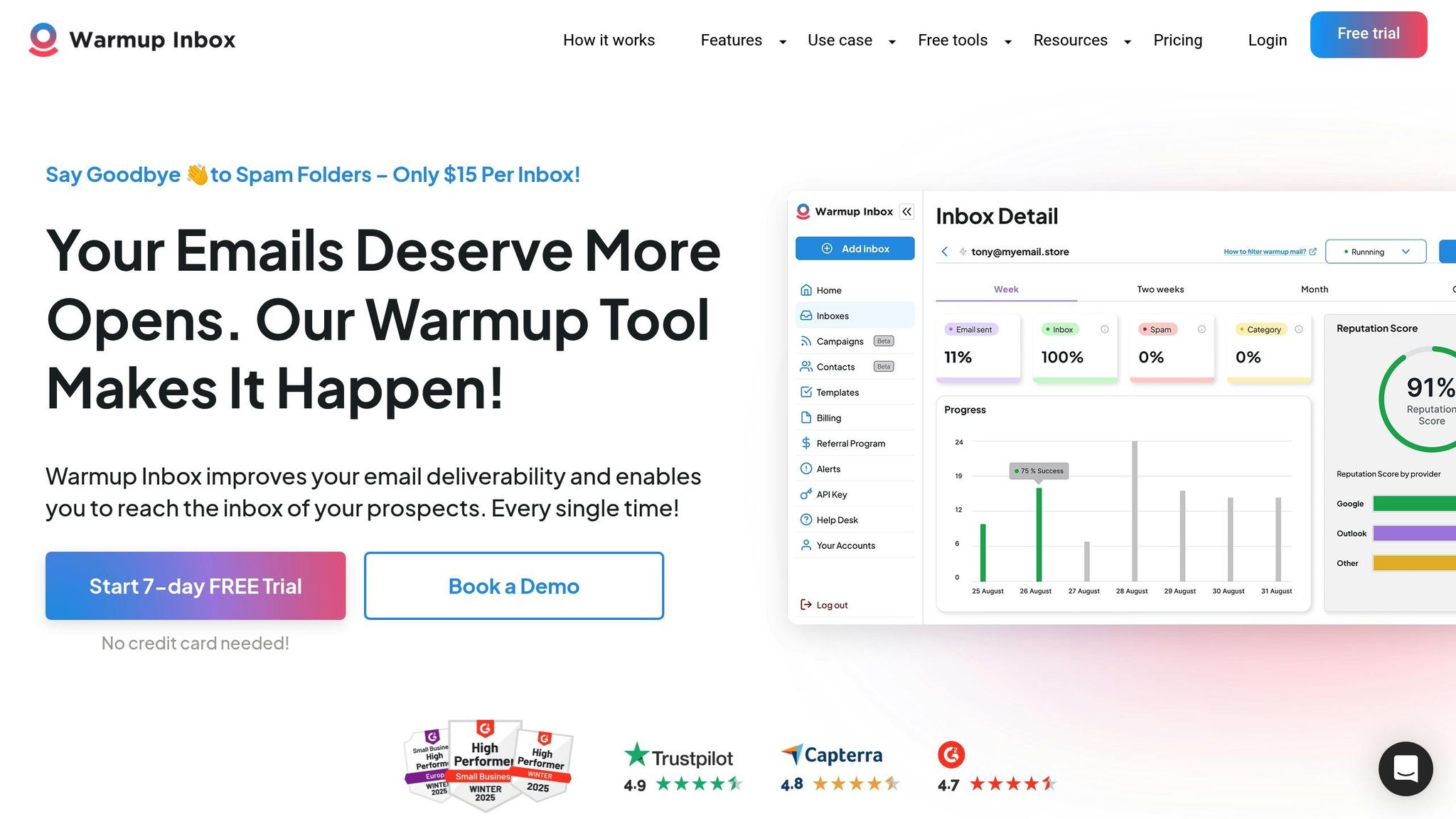
Warmup Inbox is another tool designed to simplify bulk email warm-ups while offering detailed analytics to help fine-tune your email strategy.
This platform is tailored for teams that need to warm up multiple inboxes simultaneously through a single dashboard. It’s especially useful for agencies managing several client domains or sales teams setting up numerous SDR inboxes, as it supports bulk warm-up for hundreds of accounts at once.
Inbox Placement Tracking and Deliverability Insights
Warmup Inbox goes beyond basic warm-up features by offering detailed spam and inbox placement testing. This helps pinpoint exactly where your emails are landing – whether in the inbox or spam folder. By identifying provider-specific filtering patterns, the tool provides actionable insights to improve subject lines, email content, and scheduling before you launch live campaigns.
Customizable Warm-Up Automation
The platform allows you to fine-tune warm-up settings for each inbox. You can adjust daily send limits, ramp-up speeds, and interaction levels, tailoring the process to fit your needs. Its automation mimics human behavior by sending, opening, replying to emails, and even moving messages out of spam folders. Once set up, the system runs on autopilot, freeing you to focus on other tasks.
Built for Scale with Multi-Inbox Support
Warmup Inbox is designed to handle large-scale email operations with ease. Administrators can group accounts, apply standard warm-up templates, and track overall performance through a centralized dashboard. To avoid sudden reputation spikes, it’s best to stagger new inbox activations and start with lower volumes. This bulk management capability, paired with comprehensive analytics, ensures a smoother warm-up process.
Advanced Reporting and Analytics
The platform’s dashboard provides key metrics like spam rates, inbox recovery rates, and performance data for individual mailboxes. These insights allow you to adjust sending limits, timing, and messaging strategies effectively. By combining bulk warm-up capabilities with robust analytics, Warmup Inbox emphasizes the importance of leveraging data to maintain high email deliverability.
6. Folderly
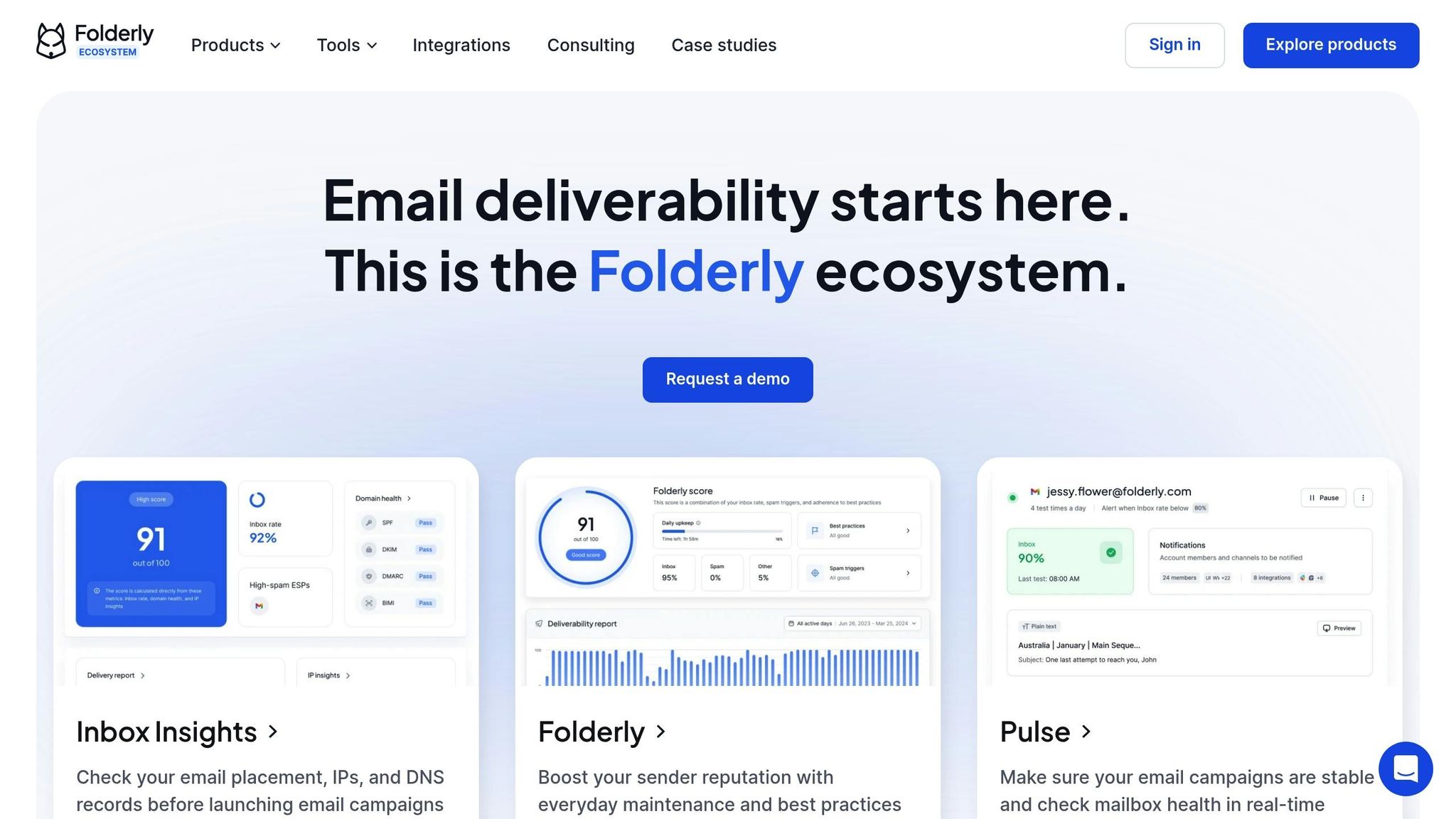
Folderly stands out as an all-in-one platform designed to tackle email deliverability challenges. It combines inbox placement testing, warm-up automation, and in-depth technical audits into a single system. This makes it a solid choice for campaigns that demand high deliverability standards, offering the tools needed for precise testing and analysis.
Inbox Placement Tracking and Deliverability Testing
Folderly conducts detailed inbox placement tests by sending emails to controlled seed inboxes across major U.S. providers like Google mailboxes, Outlook, Microsoft 365, and Yahoo. It then reports whether emails land in the primary inbox, promotions tab, spam folder, or are blocked altogether. A key feature is its proprietary "Folderly Score", which evaluates your domain’s health and predicts the likelihood of emails reaching the primary inbox. Alongside this, the platform provides insights into provider-specific placement, spam triggers, and bounce or block diagnostics, giving U.S.-based senders the confidence to scale campaigns without deliverability surprises.
Warm-Up Automation and Reputation Monitoring
Folderly’s warm-up automation gradually increases email volume while mimicking natural engagement patterns. This approach ensures that major filters like Gmail and Microsoft recognize the activity as legitimate, minimizing the risk of reputation drops during scaling. It also monitors DNS records and blacklist status in real time, providing automated guidance to resolve issues. This is particularly helpful for teams without dedicated deliverability experts, as it simplifies complex tasks like DNS troubleshooting and blacklist removal.
Reporting, Scalability, and Integrations
Folderly’s dashboard delivers essential metrics such as inbox placement rates, spam percentages, reputation scores, and DNS health. For U.S. users, it highlights trends like shifts in inbox placement after changes in email content or sending volume. Alerts notify teams of critical issues, such as a sudden drop in Gmail inboxing rates. The platform also supports multi-domain and multi-inbox setups, making it ideal for agencies or large teams managing multiple brands or clients. Users can organize mailboxes by project and apply consistent warm-up and monitoring strategies.
Folderly integrates seamlessly with tools like Google Workspace, Microsoft 365, and various outbound platforms and CRMs. Through native apps or API webhooks, teams can sync sending domains and initiate warm-up processes before launching campaigns.
Focused on advanced diagnostics, DNS audits, and continuous monitoring, Folderly positions itself as a premium solution. It’s particularly suited for high-volume senders or those managing critical campaigns, where avoiding blacklisting or reputation damage justifies the investment.
7. TrulyInbox

TrulyInbox wraps up our list as a go-to solution for teams in need of dependable warm-up automation combined with inbox placement tracking. Leveraging a peer-to-peer network of over 20,000 real inboxes, it creates genuine engagement signals that email giants like Gmail and Outlook recognize as authentic activity. Let’s dive into its standout features.
Inbox Placement Tracking and Deliverability Insights
TrulyInbox offers live inbox placement testing across major email providers like Gmail, Outlook, Google Workspace, Microsoft 365, and Yahoo. It reveals exactly where emails land – whether it’s the primary inbox, the promotions tab, or the dreaded spam folder. These detailed breakdowns are especially valuable for teams in the U.S., helping them identify and address deliverability challenges. For example, one agency managing over 100 inboxes reported improving their Outlook deliverability rate from 70% to 92% after using TrulyInbox’s insights. The platform also includes tools for spam score analysis and ensures proper email authentication with checks like SPF, DKIM, and DMARC.
Warm-Up Automation and Reputation Tracking
Using AI-driven technology, TrulyInbox mimics natural email activity by varying send times, subject lines, and reply formats – all while scaling up to 5,000 emails per day. This approach builds sender reputation without setting off spam filters. Most users see over 95% inbox placement within two to three weeks, with some reporting up to a 40% drop in spam folder placements due to the network’s realistic engagement signals. Additionally, it keeps tabs on domain health, blacklist status, and DNS records, sending alerts via Slack or API if any reputation issues arise.
Analytics, Scalability, and Integrations
The platform’s dashboard provides detailed analytics on inbox placement, spam scores, engagement metrics, and domain reputation, along with weekly progress reports. Visual charts and exportable data make it easy to track performance across multiple clients. Built for high-volume operations, TrulyInbox supports bulk warm-ups for hundreds of inboxes, organizes domains into groups for better client management, and allows unlimited warm-ups across accounts. It integrates seamlessly with Lemlist for campaign-specific warm-ups, connects to CRMs through webhooks, and works with over 50 outreach platforms via SMTP. Experts frequently highlight its user-friendly dashboard and automated processes, making it a great choice for agencies looking for a straightforward yet powerful tool to enhance their email campaigns.
Feature and Pricing Comparison
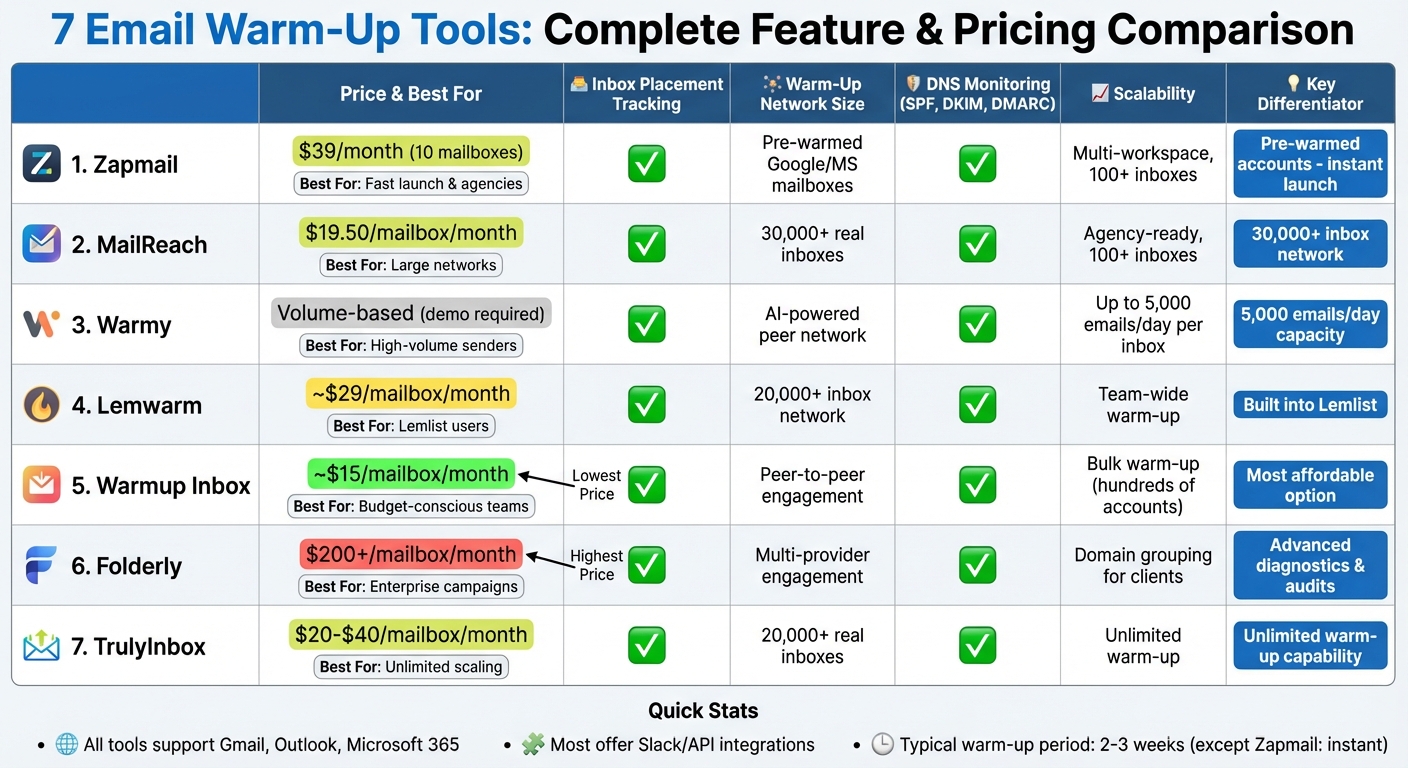
Email Warm-Up Tools Comparison: Features and Pricing Guide
Here’s a breakdown of features and pricing for the tools discussed earlier. This table highlights key aspects like deliverability, scalability, and pricing to help you make an informed choice.
| Tool | Inbox Placement Tracking | Warm-Up Network Size | DNS Monitoring | Scalability | Integrations | Starting Price (USD) |
|---|---|---|---|---|---|---|
| Zapmail | ✅ Continuous monitoring + placement tests | Pre-warmed Google/MS mailboxes | ✅ Full SPF, DKIM, DMARC setup + advanced DNS | Multi-workspace, 100+ inboxes | 50+ outreach platforms, API | $39/month (10 mailboxes) |
| MailReach | ✅ Live testing across Gmail, Outlook, Yahoo | 30,000+ real inboxes | ✅ Domain health + authentication checks | Agency-ready, 100+ inboxes | Lemlist, Slack, API webhooks | $19.50/mailbox/month |
| Warmy | ✅ Placement reports + Postmaster integration | AI-powered peer network | ✅ SPF, DKIM, DMARC validation + blacklist monitoring | Up to 5,000 emails/day per inbox | Slack, API, white-label | Volume-based (book demo) |
| Lemwarm | ✅ ESP-specific placement analytics | 20,000+ inbox network | ✅ Authentication record monitoring | Team-wide warm-up, domain cycling | Deep Lemlist integration | ~$29/mailbox/month |
| Warmup Inbox | ✅ Detailed spam/inbox placement tests | Peer-to-peer mutual engagement | ✅ Domain health + blacklist checks | Bulk warm-up for hundreds of accounts | Webhooks, Gmail, Outlook, SMTP | ~$15/mailbox/month |
| Folderly | ✅ Inbox health scoring + deliverability status | Multi-provider engagement | ✅ Reputation monitoring with alerts | Domain grouping for client management | Webhooks, major ESPs/CRMs | $200+/mailbox/month (custom) |
| TrulyInbox | ✅ Live testing across Gmail, Outlook, MS 365, Yahoo | 20,000+ real inboxes | ✅ Authentication setup + blacklist status | Unlimited warm-up, domain rotation | Campaign sync, webhooks | ~$20-$40/mailbox/month |
Zapmail stands out by offering pre-warmed infrastructure, letting you bypass the usual 2–3 week warm-up process entirely. Your mailboxes are ready to send optimized emails right from the start. To date, the platform has successfully set up over 700,000 mailboxes and managed 290,000+ domains.
For agencies juggling multiple clients, Warmy supports up to 5,000 emails per day per inbox, while MailReach provides access to 30,000+ real inboxes from Google Workspace and Office 365, ensuring smooth scalability. If cost is your main concern, Warmup Inbox offers the most affordable pricing at about $15 per mailbox per month. On the other hand, Folderly caters to enterprise-level teams with premium deliverability services starting at $200+ per mailbox.
Lemwarm seamlessly integrates with Lemlist campaigns and uses a peer-to-peer network of over 20,000 inboxes. Meanwhile, TrulyInbox strikes a balance between mid-range pricing and unlimited warm-up capabilities, making it a great choice for high-volume operations.
All of these tools support major U.S. email providers like Google Workspace and Microsoft 365. Many also integrate with Slack or offer API access for real-time notifications. Whether you’re looking for a ready-to-go infrastructure like Zapmail, live placement testing from tools like MailReach or TrulyInbox, AI-powered warm-up by Warmy, or bulk scalability through Warmup Inbox and Folderly, there’s a solution tailored to your needs.
Conclusion
Choose a warm-up tool that aligns with your email volume and tracking requirements. If you’re an individual sender or part of a small team managing a few hundred emails daily, look for tools offering clear placement reports and affordable per-mailbox pricing. For agencies handling dozens or even hundreds of inboxes, features like bulk warm-up, workspace grouping, and domain rotation are crucial.
Keep in mind that inbox placement tracking isn’t a one-and-done task – it’s an ongoing process that shows where your emails land across platforms like Gmail, Outlook, and Yahoo. If you notice a sudden drop in inbox placement or an increase in spam flags, it’s a signal to take action. You might need to slow down your sending ramp, fix authentication issues, or tweak your content. Warm-up plans should be staged and adjusted based on feedback, ensuring better deliverability over time.
For teams looking to skip the typical 2–3 week warm-up period, Zapmail offers pre-warmed Google and Microsoft mailboxes that are ready to go immediately. Starting at $39 per month for 10 mailboxes, it’s designed as a comprehensive deliverability solution rather than just a warm-up tool – perfect for agencies or fast-paced startups needing a quick start.
As you move forward, define your goals – daily email volume, the number of inboxes, and your launch timeline. Test several tools by running parallel trials to monitor placement tracking and overall domain health, helping you make an informed decision. Once you’ve settled on a tool, stick to the recommended warm-up schedule, keep an eye on your inbox placement, and maintain best practices like good list hygiene, high-quality content, and proper authentication to ensure long-term success.
FAQs
What are email warm-up tools, and how do they improve deliverability?
Email warm-up tools are designed to boost your email deliverability by gradually building the sender’s reputation. This process ensures your emails are more likely to land in inboxes rather than being flagged as spam.
These tools mimic natural email behavior by sending and receiving messages over time, which helps establish a positive track record with email providers. They also fine-tune critical settings like DNS configurations to optimize performance.
By creating trust with email platforms, these tools make it easier for businesses to achieve better deliverability rates, ensuring their outreach efforts are more successful.
What key features should an email warm-up tool have?
When choosing an email warm-up tool, focus on features that improve email deliverability and make the setup process straightforward. Key features to look for include pre-warmed mailboxes, automated DNS setup (covering SPF, DKIM, and DMARC), and strong domain management capabilities.
It’s also worth considering tools that provide workspace isolation for extra security and offer integrations with widely-used outreach platforms. These features can help you streamline your workflow while boosting the chances of your emails landing in the inbox.
How can I check if my emails are reaching the inbox?
To check if your emails are reaching the inbox, take advantage of inbox placement tracking tools available through your email warm-up platform. These tools give you a clear picture of where your emails are ending up – whether it’s the inbox, spam folder, or another location.
Additionally, keep an eye on delivery reports and analyze bounce-back messages. These can offer valuable insights into your email performance, helping you pinpoint and resolve any deliverability problems.