If you’re looking to improve email deliverability for cold outreach, pre-warmed mailboxes are a must. They help new domains build a reputation, reducing the chances of emails being flagged as spam. Manually warming up an email account can take weeks, but these tools automate the process, saving time and effort. Here’s a quick rundown of the top five tools for pre-warmed mailbox setup:
- Zapmail: Automates setup in 10 minutes, integrates with 50+ outreach tools, and offers flexible pricing starting at $39/month for 10 mailboxes.
- ListKit: A managed service that handles everything for you, with plans starting at $97/month for 2,000 credits.
- Hypergen: Fully managed service with inboxes ready in 72 hours, priced at $11 per inbox per month.
- Maildoso: Quick setup with mailboxes starting at $1.90/month, ideal for large-scale operations.
- Smartlead: Unlimited mailbox connectivity with pricing starting at $39/month, perfect for scaling campaigns.
These tools simplify DNS configurations (SPF, DKIM, DMARC), integrate with popular outreach platforms, and ensure better email deliverability. Whether you prefer automation or a hands-off approach, there’s an option for every need.
Quick Comparison:
| Tool | Setup Time | Pricing (Starting) | Key Features |
|---|---|---|---|
| Zapmail | 10 minutes | $39/month | Automated setup, integrates with 50+ tools |
| ListKit | 3 weeks | $97/month | Fully managed service, private IPs |
| Hypergen | 72 hours | $11/inbox/month | Managed setup, 24/7 monitoring |
| Maildoso | 10 minutes | $1.90/mailbox/month | API-based setup, AI warmup network |
| Smartlead | 1 hour | $39/month | Unlimited mailboxes, dynamic warmup |
Each tool offers unique advantages, so your choice depends on your outreach goals and technical needs.
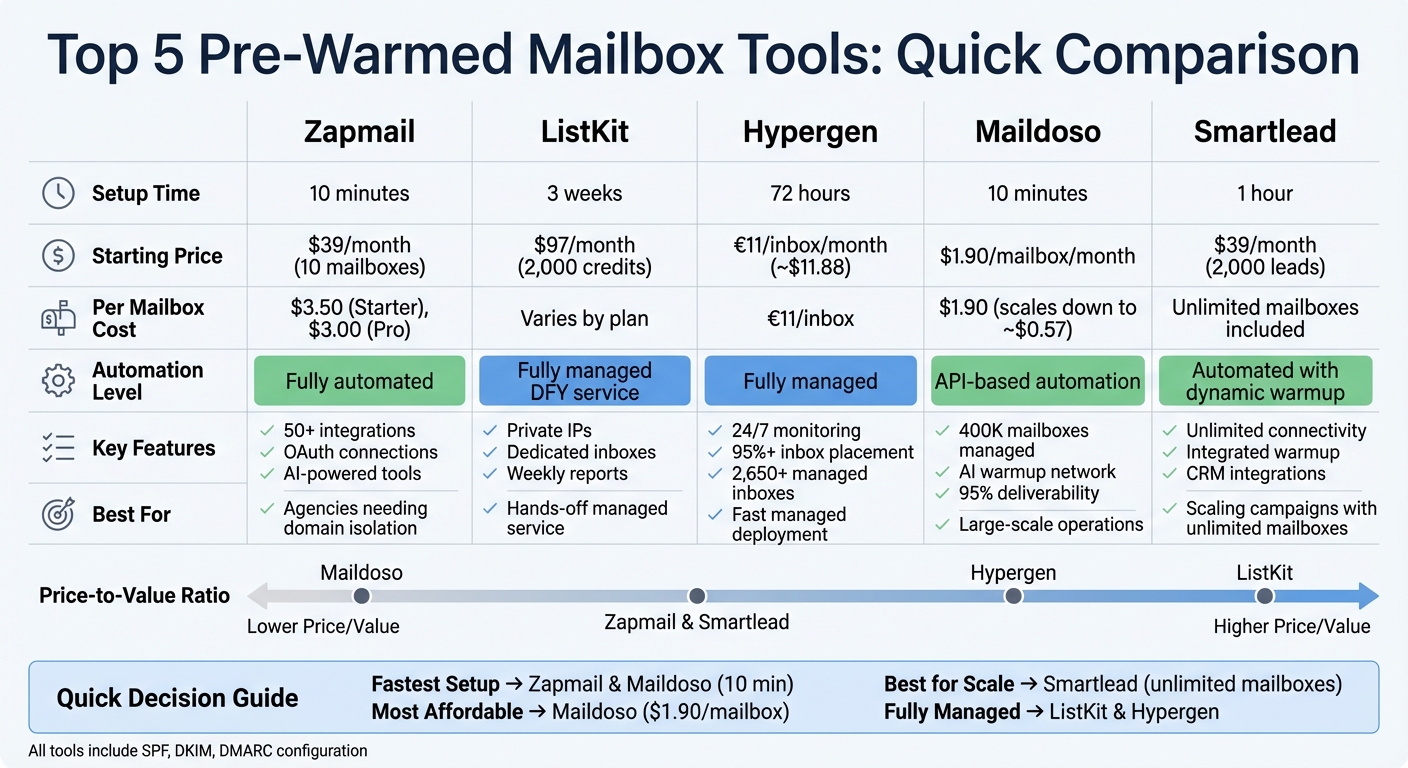
Pre-Warmed Mailbox Tools Comparison: Features, Pricing, and Setup Times
i compared 21 cold email infrastructure tools (18 of them are trash)
1. Zapmail
Zapmail provides pre-warmed Google Workspace and Microsoft 365 accounts, ready for immediate use thanks to a thorough 12+ week preparation process. This eliminates the typical 2–3 week warm-up period, allowing campaigns to launch right away. The platform has overseen the management of over 330,000 domains and set up more than 1 million mailboxes, serving over 50,000 businesses globally. It also boasts an impressive 4.5/5 rating on Trustpilot.
Automation Level
Zapmail simplifies the entire setup process, completing it in just 10 minutes compared to the usual 48 hours. It handles everything from domain purchase or connection to mailbox creation, DNS configuration, and secure OAuth connections to outreach tools – all in one seamless workflow.
Enoch Chang, Co-Founder of Cymate, shared his experience using Zapmail to send 2 million cold emails monthly across 5,000+ accounts:
"One of the few providers that spins up 1 US-based Google Workspace per domain… Setup time 10mins – 1 hour so we can start the warm up process as quickly as possible." – Enoch Chang, Co-Founder, Cymate
Zapmail also includes AI-powered tools like Instant Domain Genie for creating domain names, Smart Mailbox Namer for professional email handles, and Persona Snapshots for generating high-quality profile images. Its efficiency extends to advanced DNS management.
DNS Configuration Capabilities
Zapmail automatically configures SPF, DKIM, DMARC, and MX records during mailbox setup. It also supports custom tracking domains and offers one-click domain masking to safeguard your primary domain’s reputation. By enforcing a "one domain per workspace" policy and granting full admin access, the platform ensures that any deliverability issues remain isolated – an essential feature for agencies managing multiple clients.
Dominique Michel, Co-Founder of Clayground, successfully transitioned over 3,000 teams to Zapmail after a competitor’s shutdown. The result? A 4% positive reply rate with consistent delivery and no account bans.
Beyond automation, Zapmail shines with its integration capabilities.
Integration Support
Zapmail works with over 50 outreach tools – including Instantly, Smartlead, and Apollo – via secure OAuth connections. This eliminates the risks associated with sharing SMTP/IMAP credentials. Its one-click bulk export feature allows users to provision and push multiple mailboxes to outreach tools simultaneously. For example, Alex Loughlin, founder of altbound.com, used Zapmail to generate a $198,000 pipeline for a client in just two weeks.
Mike Black, Founder of Talent Stream, shared his success story. He purchased 24 domains and 72 inboxes for $527. By automating the setup and exporting to Instantly, he scaled his outreach from 270 contacts per day to 1,350 contacts per day after a two-week warming period.
Pricing Scalability
Zapmail offers flexible pricing options. The Starter plan begins at $39/month for 10 mailboxes, with additional mailboxes costing $3.50 each. The Growth plan costs $99/month for 30 mailboxes (extra mailboxes at $3.25 each), while the Pro plan is priced at $299/month for 100 mailboxes, with additional mailboxes at $3.00 each. For high-volume users, bulk pricing can drop to $2.50 per mailbox. Domains with .com extensions typically start at $13–$14 per year, and the Pro plan includes perks like priority support and API access for programmatic mailbox provisioning.
"I like zapmail because the inboxes are only $3 per inbox – but also because they handle all the configuration and exporting the inboxes to Instantly." – Mike Black, Founder, Talent Stream
With these features, Zapmail is well-equipped to support efficient and effective email outreach.
2. ListKit

ListKit is a fully managed "Done-For-You" (DFY) service, designed to take the technical headaches off your plate so you can focus entirely on your outreach strategy. While platforms like Zapmail emphasize quick automated setups, ListKit takes a more hands-on, personalized approach. Their team handles everything, offering a streamlined experience that prioritizes convenience and results.
Automation Level
ListKit follows a structured three-week setup process: Week 1 is dedicated to configuring domains and inboxes, Week 2 focuses on warming up and testing, and Week 3 launches your campaigns. Unlike self-managed tools, this service relies on deliverability experts to oversee every step, ensuring everything runs smoothly. For example, in 2025, a user named Bailey scaled their cold outreach to over 1.25 million emails per month with ListKit’s managed warmup and private IP infrastructure – all while maintaining strong reply rates and minimizing bounces.
DNS Configuration Capabilities
Their team handles the technical setup of SPF, DKIM, and DMARC records during the onboarding process. They also provide ongoing monitoring through tracking, alerts, and weekly performance reports. By using private SMTP servers and pre-warmed, dedicated inboxes, ListKit eliminates the risks associated with shared IPs.
Integration Support
ListKit integrates seamlessly with major CRMs and email-sending tools. The platform also supports unlimited exports, allowing you to scale your outreach efforts without worrying about hitting arbitrary limits.
Pricing Scalability
ListKit offers three pricing tiers to suit different needs:
- Professional: $97/month, includes 2,000 credits and unlimited users.
- Scale: $297/month, offers 10,000 credits and 1:1 coaching.
- Enterprise: Custom pricing, which includes a dedicated account manager and DFY integrations.
These options make it easy to choose a plan that aligns with your goals, whether you’re just starting out or managing large-scale campaigns.
3. Hypergen
Hypergen offers a fully managed "Done-For-You" service, taking care of everything from buying domains to configuring SMTP settings. With a global team of over 40 specialists spread across 15 countries and support for more than 2,650 managed inboxes, it’s a great choice for those looking for a hands-off solution.
Automation Level
Hypergen automates the entire mailbox setup process. From registering domains to creating email accounts and configuring SMTP/IMAP settings, the platform eliminates the need for technical know-how. Inboxes are warmed and ready to use within just 72 hours – much faster than the weeks typically required by traditional warmup methods. This speed is supported by 24/7 deliverability monitoring, real-time blacklist tracking, and monthly audits to ensure a consistent inbox placement rate of over 95%. The system also includes advanced performance monitoring for ongoing optimization.
DNS Configuration Capabilities
Hypergen simplifies DNS configuration by automatically setting up essential authentication protocols like SPF, DKIM, and DMARC. This automation saves an estimated 2–3 hours per project compared to manual setup. Plus, continuous monitoring helps identify and resolve authentication issues early, protecting your sender reputation.
Integration Support
To make things even easier, Hypergen integrates smoothly with popular outreach tools such as Smartlead, Lemlist, and Apollo. This means your accounts are delivered directly to your platform, skipping the delays often caused by manual integrations. For those on the Pro plan, additional perks include priority Slack and email support, along with direct access to GTM engineers for help with campaign strategies.
Pricing Scalability
Hypergen keeps its pricing simple: €11 per inbox per month (about $11.88 USD), with a one-time €11 fee for domain setup. If you opt for the Pro plan, which includes coaching services, the cost starts at $500 per month. This makes Hypergen a cost-effective alternative to DIY setups.
sbb-itb-36f7bf9
4. Maildoso
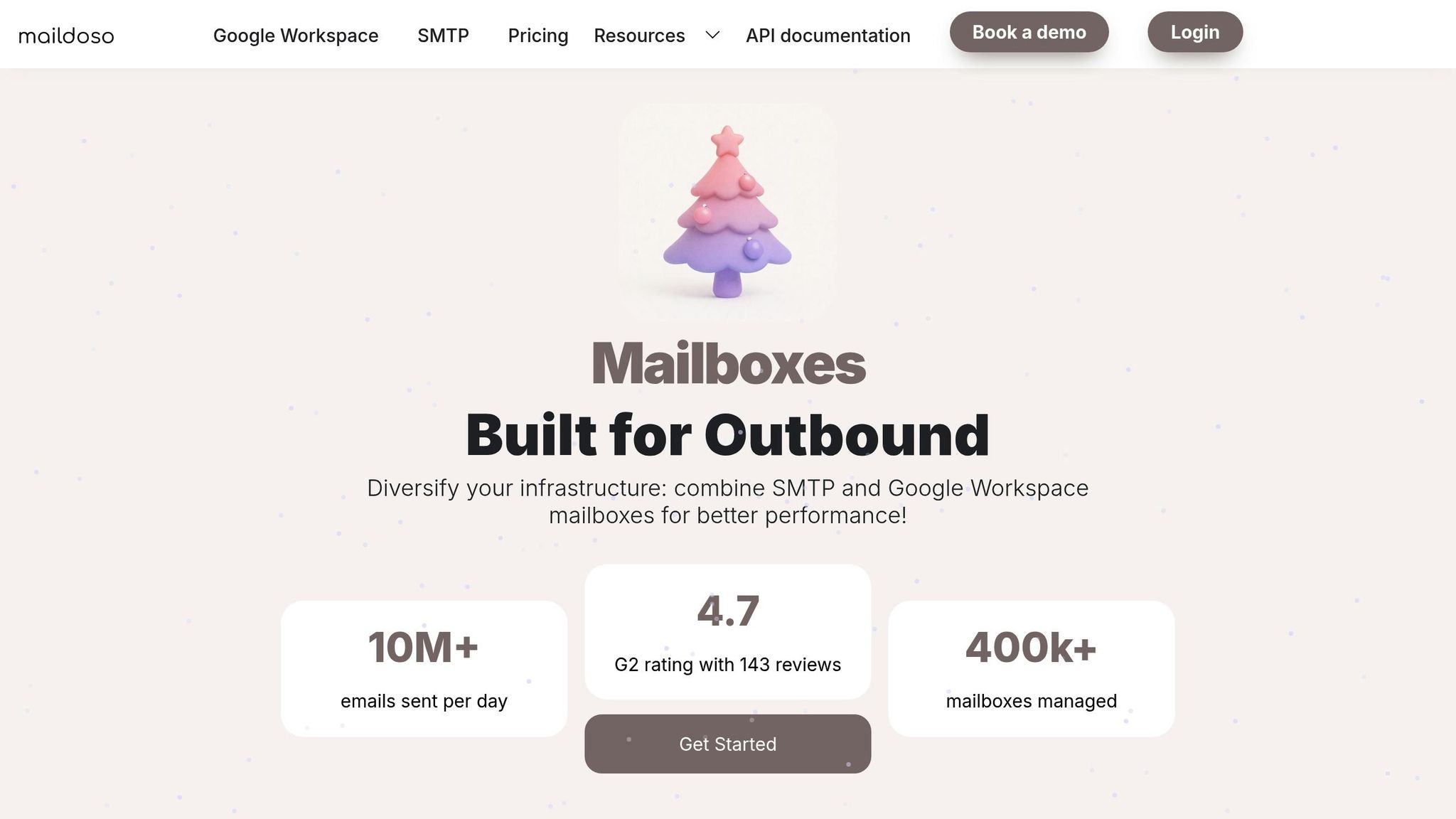
Maildoso has made a name for itself by managing an impressive 400,000 mailboxes across 5,000 companies, offering a solution tailored for users who need to set up a large number of mailboxes without dealing with technical hurdles.
Automation Level
This platform thrives on speed and simplicity. Maildoso automates the entire process – right from DNS configuration to mailbox creation – in less than 10 minutes. Its API and Model Context Protocol (MCP) allow users to generate mailboxes using AI prompts or LLM agents. Plus, its one-click sync feature seamlessly connects mailboxes to outreach tools like Instantly and Smartlead. On top of that, Maildoso actively monitors inbox placement and sender reputation to keep everything running smoothly. It also simplifies DNS configuration, ensuring your sender reputation stays intact.
DNS Configuration Capabilities
Maildoso handles essential DNS configurations – SPF, DKIM, DMARC, and MX records – with minimal user input. Whether you’re registering new domains directly through the dashboard or connecting existing ones, the process is quick and straightforward. Domain redirects can be set up in just a few clicks. To further protect your primary domain, Maildoso uses CAPTCHA security measures, and its monitoring dashboard provides real-time updates on domain status and mailbox connections.
Integration Support
Maildoso offers seamless integration with popular outreach tools like Instantly, Smartlead, Saleshandy, Apollo, Lemlist, and EmailBizon. It supports both SMTP inboxes and official Google Workspace accounts. For those looking to enhance email deliverability, Maildoso provides consulting services, including campaign reviews, spam trigger checks, and deliverability tests. Its premium AI warmup network takes it a step further by simulating human-like behavior, sending up to 100 emails per day per mailbox to improve inbox placement.
Pricing Scalability
Maildoso’s pricing is designed to accommodate everyone – from solopreneurs to large-scale agencies. Mailboxes start at $1.90 per month, with tiered plans offering discounts for higher volumes. For instance, a 32-mailbox plan is priced at $100 per month (billed quarterly) and includes 8 free domains. Meanwhile, the 400-mailbox plan costs $733 per month, offering 100 free domains and slashing the per-mailbox cost by about 70%.
"Maildoso is a game-changer for deliverability. Use it personally!" – Dhruv Patel, Co-founder of Saleshandy
With a 4.7/5 rating on G2 based on 143 reviews, Maildoso has earned a reputation for helping users achieve up to 95% deliverability, thanks to its optimized infrastructure.
5. Smartlead
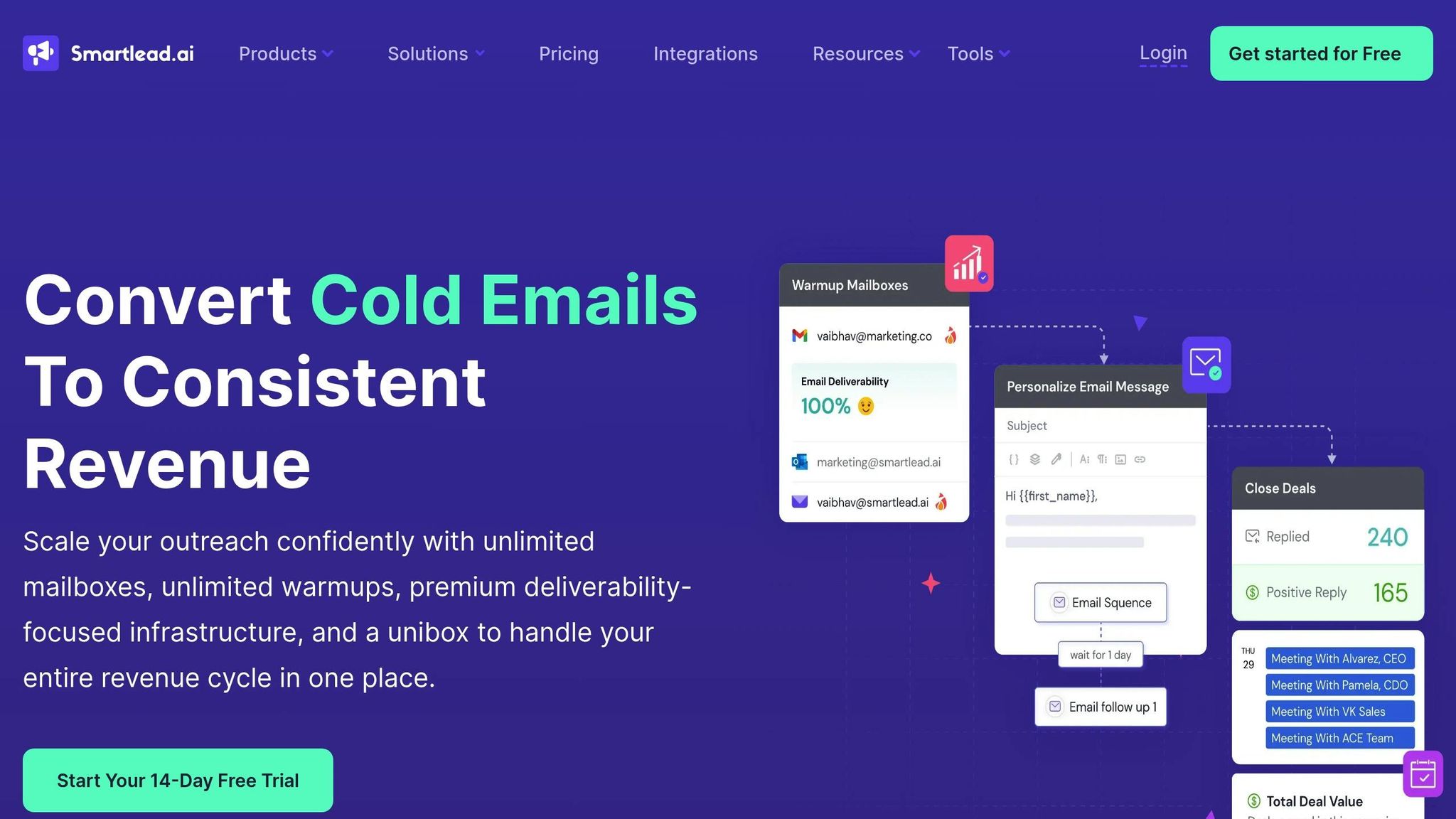
Smartlead stands out by offering unlimited mailbox connectivity across all pricing tiers, making it a go-to solution for scalable email outreach. With over 87,000 businesses using the platform, it eliminates barriers to infrastructure growth by removing artificial limits on scaling.
Automation Level
Smartlead simplifies email setup with its SmartSenders feature. Tasks like configuring SPF, DKIM, DMARC, and premium DNS are automated, requiring just a few clicks. The one-click warmup activation and three-click total setup streamline the process even further. Additionally, its AI technology adjusts warmup volumes and mimics human-like behaviors – such as opening emails, clicking links, and replying – to naturally build sender reputation.
For teams looking for quick deployment, Smartlead offers Zapmail, which provides pre-warmed, verified, and deliverability-tested mailboxes. This means campaigns can be launched the same day. The platform also supports bulk uploads of hundreds of email accounts at once, making it ideal for large-scale operations. These features are complemented by efficient DNS and domain management capabilities.
DNS Configuration Capabilities
Smartlead’s DNS configuration is fully automated, thanks to integrations with Cloudflare and Namecheap APIs. Users can easily manage SPF, DKIM, DMARC, and custom CNAME setups. Domains and mailboxes can be purchased directly through the platform, with billing and renewals managed from a single dashboard. Standard mailboxes are ready in 24 to 48 hours, while pre-warmed options can be deployed in under an hour, ensuring minimal delays.
Integration Support
Smartlead integrates seamlessly with popular CRMs like HubSpot, Salesforce, and Pipedrive, as well as automation tools like Zapier, Make, and N8N. All of these come together in Smartlead’s "unibox", a centralized inbox that simplifies lead management across multiple campaigns, ensuring everything stays organized and accessible.
Pricing Scalability
Smartlead’s pricing is designed to grow with your outreach needs. Here’s a breakdown of the plans:
- Basic Plan: $39/month, includes 2,000 active leads and 6,000 emails.
- Pro Plan: $94/month, supports 30,000 active leads and 150,000 emails.
- Custom Plan: Starts at $174/month, accommodating up to 12 million lead credits.
All plans come with unlimited mailbox connectivity and unlimited warmup, making it a cost-effective solution for high-volume email campaigns.
"Smartlead helped us scale to millions of emails with strong deliverability. The unlimited sending, easy inbox warm-up, and flexibility with custom tracking domains make it perfect for high-volume outbound." – Gabriel M., Founder, CEO, Reachflow
Smartlead boasts a 4.8/5 rating on G2, with users frequently praising the unlimited mailbox feature as a standout advantage.
Feature Comparison
Finding the right tool depends on aligning its features with your outreach needs. Below is a breakdown of how five platforms handle pre-warmed mailbox setups, focusing on their technical capabilities and pricing structures to help you decide which fits your strategy best.
Take Zapmail, for example. It stands out with its extensive automation and integration options. This platform offers fully automated DNS configuration – covering SPF, DKIM, DMARC, and MX records – right at setup, saving you time and effort. Plus, it connects seamlessly with over 50 outreach platforms, making it a versatile choice. Pricing begins at $39/month for 10 Google mailboxes and scales up to $299/month if you need 100 mailboxes and API access.
On the other hand, ListKit is perfect for those who prefer a hands-off approach. Their deliverability specialists handle all DNS settings manually, ensuring everything is configured correctly without requiring your involvement.
Hypergen focuses on speed and ease of use, making it a straightforward option for users who value simplicity.
Maildoso simplifies the process by automating the critical DNS configurations, removing much of the technical hassle.
Lastly, Smartlead takes a unique approach by integrating mailbox warmup directly into its outreach platform. This allows warmup pacing to sync with live campaigns, ensuring dynamic adjustments as your campaigns evolve.
Each tool offers distinct advantages, so the best choice depends on your specific outreach goals and preferences.
Conclusion
When selecting a pre-warmed mailbox tool, focus on factors like automation, scalability, and deliverability. Each tool discussed here offers unique features, so your choice should depend on your outreach needs and technical expertise.
For instance, if you’re managing multiple client campaigns or require strict domain separation, Zapmail might be a solid option. Its workspace-level isolation ensures that if one domain is flagged, the rest of your infrastructure remains unaffected. The Zapmail Starter plan – priced at $39/month for 10 pre-warmed mailboxes – provides a straightforward way for agencies to get started, particularly those prioritizing automation and using US-based IP addresses. This highlights the importance of maintaining domain isolation and leveraging automation for smoother operations.
To maintain a strong sender reputation, aim to keep hard bounce rates below 1–2% and spam complaints under 0.1%. Additionally, consider using branded alternate domains to safeguard your primary domain’s reputation.
FAQs
What are the benefits of using a pre-warmed mailbox for email deliverability?
When you use a pre-warmed mailbox, you’re essentially giving your email campaigns a head start. These mailboxes already have a solid sending history and are set up with properly configured SPF, DKIM, and DMARC records. This setup ensures your emails are recognized as coming from a reliable source right from the beginning.
Another advantage is the isolated domain reputation that comes with pre-warmed mailboxes. This separation significantly reduces the chances of your emails being flagged as spam. The result? More of your messages land in inboxes, boosting the success of your email outreach efforts.
What should I look for in a pre-warmed mailbox tool?
When choosing a pre-warmed mailbox tool, focus on features that improve email deliverability, simplify the setup process, and make management easier. Look for tools that provide pre-warmed Google Workspace or Microsoft 365 accounts with a solid sender reputation already in place. This eliminates the need for time-consuming manual warm-ups. Additionally, tools offering automated DNS configuration – like SPF, DKIM, and DMARC – can help ensure proper setup without requiring advanced IT knowledge.
It’s also important to consider tools that provide domain isolation, which safeguards the reputation of each domain and prevents issues from affecting multiple accounts. Features like AI-generated mailbox names and scalable workspace management are helpful for creating professional email addresses and handling large account volumes without hassle. Lastly, tools that offer smooth integrations with outreach platforms and clear, predictable pricing are especially useful for U.S.-based teams aiming to excel in email outreach.
Why is DNS configuration essential for setting up a pre-warmed mailbox?
Setting up DNS is a crucial part of preparing a pre-warmed mailbox. It involves creating authentication records like SPF, DKIM, and DMARC. These records play a vital role in confirming that your domain is legitimate, helping to protect its reputation and ensuring your emails land in inboxes instead of spam folders.
Beyond improving email deliverability, a well-configured DNS setup also shields your domain from spoofing and phishing attempts. This makes it an essential step for any email outreach strategy aiming for both security and success.